Of this picture.
Ok let's begin.
First is scan the sketch picture.
Drawing new line art in new layer.
Base color and simple shading in new layer under the line.
Blend the color with softbrush and coloring the eyes.
Coloring hair with the same way. And add 3 light layers.
First is blue reflect light with overlay mode. Use softbrush and try lower the layer capacity until you like the result.
2 is white rim light on normal mode or colordodge. Use hardbrush on the edge.
3 is white highlight on normal mode or colordodge. Use softbursh paint around the center of muscle
to make it look bulging. You can add some glitter with small hard brush to make it look wet.
Blending again and now I try to paint over the skin to make it look more lighter with softbrush.
More lighter with curve adjustment.
Try to play with other filter...and I decide to make it a little more lighter with different glow filter.
Ok add some juice and it finished. :D
I also add new eye reference. See them in Drawing reference Tap if you interested.
Showing posts with label Coloring. Show all posts
1/11/2013
5/05/2012
Today special menu
Hi! today Krit have something special for you. haha
Also I didn't post coloring steps for a while so here you go. :D
1. Begin color by do the simple cell shading.
2. Burn the area between base color and shadow.
3. Lower the line capacity to 50%. Use soft brush to blend the color, add more darker color.
4. Ok change the line layer capacity back to 100%. Add blue reflect light in overlay mode layer and more orange color between base skin and shadow in color mode layer.
5. Now I want skin to look more shiny...so I add more highlight with white color in overlay mode.
6. Remove unused line. Add more details for hair.
7. Somehow I suddenly feel lazy to do the background so I remove the table line, and merge all character layer. After that I do color adjustment by level option to make it look more lighter and clean. Also add more orange around penis head by multiply mode layer.
8. Hmm now I decide to cut his right leg and move around. Also use gradient tool to add more color to the gray behind with color mode layer. And add white light around character.
9. Hmm try to move character and and add more color bar below. Finished!! haha it's quite lame background sorry for that. lol
Oh yeah, I haven't post Krit's character sheet here isn't it. He's my very first OC. Hope you will like him.
Also I didn't post coloring steps for a while so here you go. :D
1. Begin color by do the simple cell shading.
2. Burn the area between base color and shadow.
3. Lower the line capacity to 50%. Use soft brush to blend the color, add more darker color.
4. Ok change the line layer capacity back to 100%. Add blue reflect light in overlay mode layer and more orange color between base skin and shadow in color mode layer.
5. Now I want skin to look more shiny...so I add more highlight with white color in overlay mode.
6. Remove unused line. Add more details for hair.
7. Somehow I suddenly feel lazy to do the background so I remove the table line, and merge all character layer. After that I do color adjustment by level option to make it look more lighter and clean. Also add more orange around penis head by multiply mode layer.
8. Hmm now I decide to cut his right leg and move around. Also use gradient tool to add more color to the gray behind with color mode layer. And add white light around character.
9. Hmm try to move character and and add more color bar below. Finished!! haha it's quite lame background sorry for that. lol
Oh yeah, I haven't post Krit's character sheet here isn't it. He's my very first OC. Hope you will like him.
2/21/2012
7/25/2011
Coloring step : Guardian of water
As promise Coloring step of my picture " guardian of water".
I hope it will be useful.
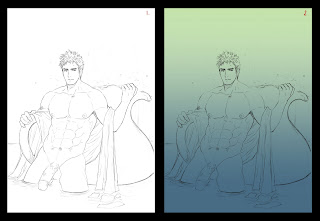
1. Pencil sketch. Do some adjustment (level or curve) in photo shop to make it sharpen and clean with eraser tool.
And don't forget to change layer mode to multiply.
2. Create new layer under the line and use gradient tool to color the base tone.
You can create more layers to coloring another parts.
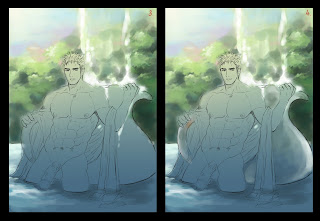
3. Rough coloring background by simple round brush.
4. Rough coloring jar.
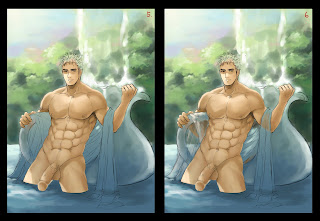
5. Coloring skin base by hard round-brush and blend it with soft-round brush.
6. Coloring fabric.
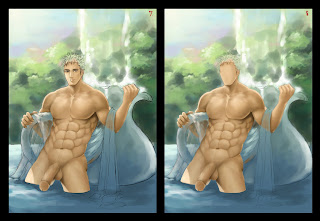
7. Now create a new layer over sketch line. Add more details on skin and muscle.
8. The face look weird so I will draw a new one. First is remove line art by erase the line or
paint the base color over line art.
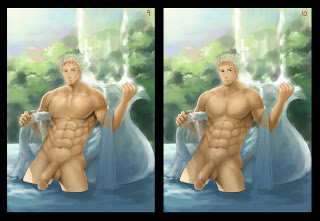
9. Draw a new face line with dark brown color.
10. Pick more darker color and paint more details. For the body...use more darker color and paint the shadow.
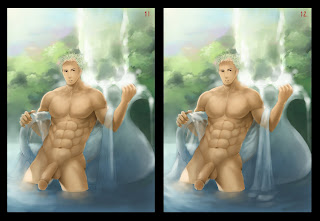
11. Paint BG with very soft brush.
12. Do the same with fabric.
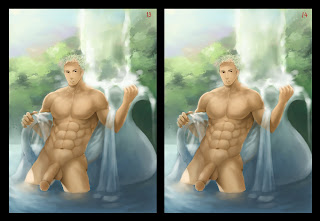
13. Paint the trees with hard brush.
14. Paint the falling water with soft brush.
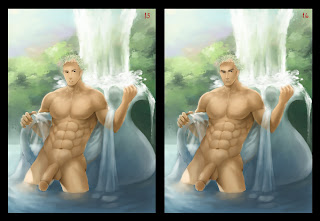
15. Paint the details with smaller and harder brush.
16. Continue paint face with soft brush and sharpen the edges with line.
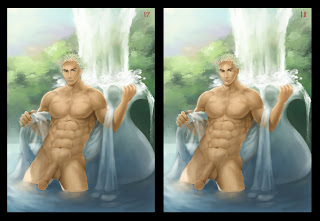
17. Add more lighten color on body skin.
18. Continue adding on the face.
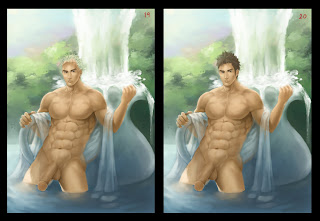
19. Add more details on fabric.
20. Coloring the hair with soft brush and line.
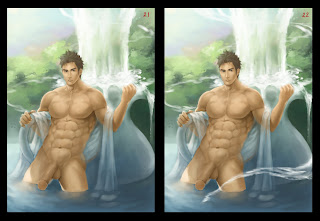
21.-22. Paint flowing water with hard brush
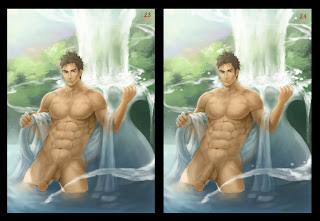
23. Use soft brush the blend the flowing water.
24. Add more splash water.
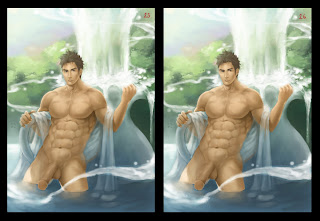
25. Add more lightning on flowing water with soft light mode layer.
26. Use texture brush to paint more details.
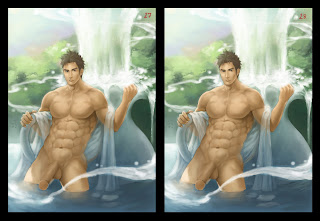
27. Draw the line art around the man.
28. Adding more details on fabric.
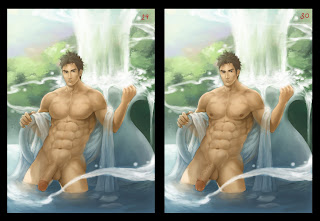
29. Now coloring the penis and draw the line around it.
30. Adding more details on it and painting nipples.
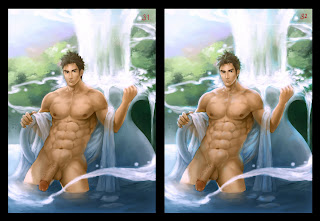
31. Do the color adjustment by try to use level adjustment in different color channel.
32. Add the blue light by overlay mode layer.
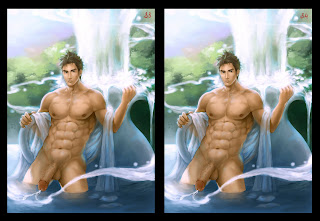
33. Draw pubic hair.
34. Paint water drops on the man.
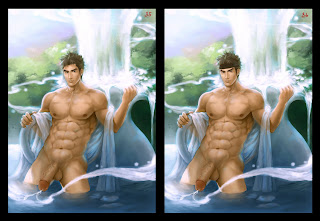
35. Use liquify filter to adjust the body and face.
36. Try to give him a new hair style by add the headband first.
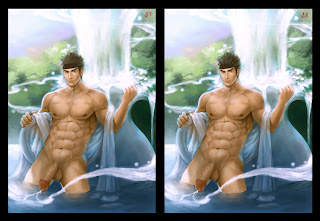
37. Use soft brush to paint the new hair base over it.
38. Draw the hair lines and add the new hair lightning.

39. Paint the headband detail.
40. Make the face skin more smoother and add a little change to the lips. Finish!!
Oh my...It turn out to be a very long post. lol
So tired... - -"
Hope you enjoy it.
Next time I will try make the tutorial about "how to draw the muscle".
I hope it will be useful.

1. Pencil sketch. Do some adjustment (level or curve) in photo shop to make it sharpen and clean with eraser tool.
And don't forget to change layer mode to multiply.
2. Create new layer under the line and use gradient tool to color the base tone.
You can create more layers to coloring another parts.

3. Rough coloring background by simple round brush.
4. Rough coloring jar.

5. Coloring skin base by hard round-brush and blend it with soft-round brush.
6. Coloring fabric.

7. Now create a new layer over sketch line. Add more details on skin and muscle.
8. The face look weird so I will draw a new one. First is remove line art by erase the line or
paint the base color over line art.

9. Draw a new face line with dark brown color.
10. Pick more darker color and paint more details. For the body...use more darker color and paint the shadow.

11. Paint BG with very soft brush.
12. Do the same with fabric.

13. Paint the trees with hard brush.
14. Paint the falling water with soft brush.

15. Paint the details with smaller and harder brush.
16. Continue paint face with soft brush and sharpen the edges with line.

17. Add more lighten color on body skin.
18. Continue adding on the face.

19. Add more details on fabric.
20. Coloring the hair with soft brush and line.

21.-22. Paint flowing water with hard brush

23. Use soft brush the blend the flowing water.
24. Add more splash water.

25. Add more lightning on flowing water with soft light mode layer.
26. Use texture brush to paint more details.

27. Draw the line art around the man.
28. Adding more details on fabric.

29. Now coloring the penis and draw the line around it.
30. Adding more details on it and painting nipples.

31. Do the color adjustment by try to use level adjustment in different color channel.
32. Add the blue light by overlay mode layer.

33. Draw pubic hair.
34. Paint water drops on the man.

35. Use liquify filter to adjust the body and face.
36. Try to give him a new hair style by add the headband first.

37. Use soft brush to paint the new hair base over it.
38. Draw the hair lines and add the new hair lightning.

39. Paint the headband detail.
40. Make the face skin more smoother and add a little change to the lips. Finish!!
Oh my...It turn out to be a very long post. lol
So tired... - -"
Hope you enjoy it.
Next time I will try make the tutorial about "how to draw the muscle".
I hope it will be useful.
4/30/2011
Sketch April 2011 and coloring steps
Sorry for being late for this monthly sketch.
I just got my PC back from repairing.
Ok let's begin with my old work.


Now for the coloring steps I use recently for commission.
This one is commission for Kensoudojo.

1. Raw Pencil sketch
2. Work on line art and adjust muscle anatomy in photoshop.
3. Coloring base color in gray tone.
4. Adding the color by color mode layers.

5. Adjust the color by level or curve.
6. Repeat the same steps with another guy.
7. Coloring hair.
8. Underwear and cap

9. Coloring eyes and faces details.
10. Adding a little background.
11. Adding more light by soft light mode or overlay mode layers.
12. Adding a little blueish light.

13. Adjust the whole picture by level or curve.
Hope you enjoy. ^_^
I just got my PC back from repairing.
Ok let's begin with my old work.


Now for the coloring steps I use recently for commission.
This one is commission for Kensoudojo.

1. Raw Pencil sketch
2. Work on line art and adjust muscle anatomy in photoshop.
3. Coloring base color in gray tone.
4. Adding the color by color mode layers.

5. Adjust the color by level or curve.
6. Repeat the same steps with another guy.
7. Coloring hair.
8. Underwear and cap

9. Coloring eyes and faces details.
10. Adding a little background.
11. Adding more light by soft light mode or overlay mode layers.
12. Adding a little blueish light.

13. Adjust the whole picture by level or curve.
Hope you enjoy. ^_^
1/23/2011
Coloring Step
Subscribe to:
Posts (Atom)


